Local-first · Encrypted · No cloud, no account

Everyone's securing the LLM.Who's securing your docs?

Penkeep is a WYSIWYG markdown editor with first-class comments and per-file encryption. Lock the sensitive note in place — threat-model.emd sits right next to your plaintext, unreadable to every agent, sync client and backup daemon that isn't you with the passphrase.

macOS · Linux · Windows  •  XChaCha20-Poly1305 + Argon2id  •  open format
penkeep · lock file
📄 strategy.md plaintext
↓  encrypt with passphrase  ↓
🔒 strategy.emd encrypted
passphrase••••••••••
XChaCha20-Poly1305 · Argon2id · 46 MiB
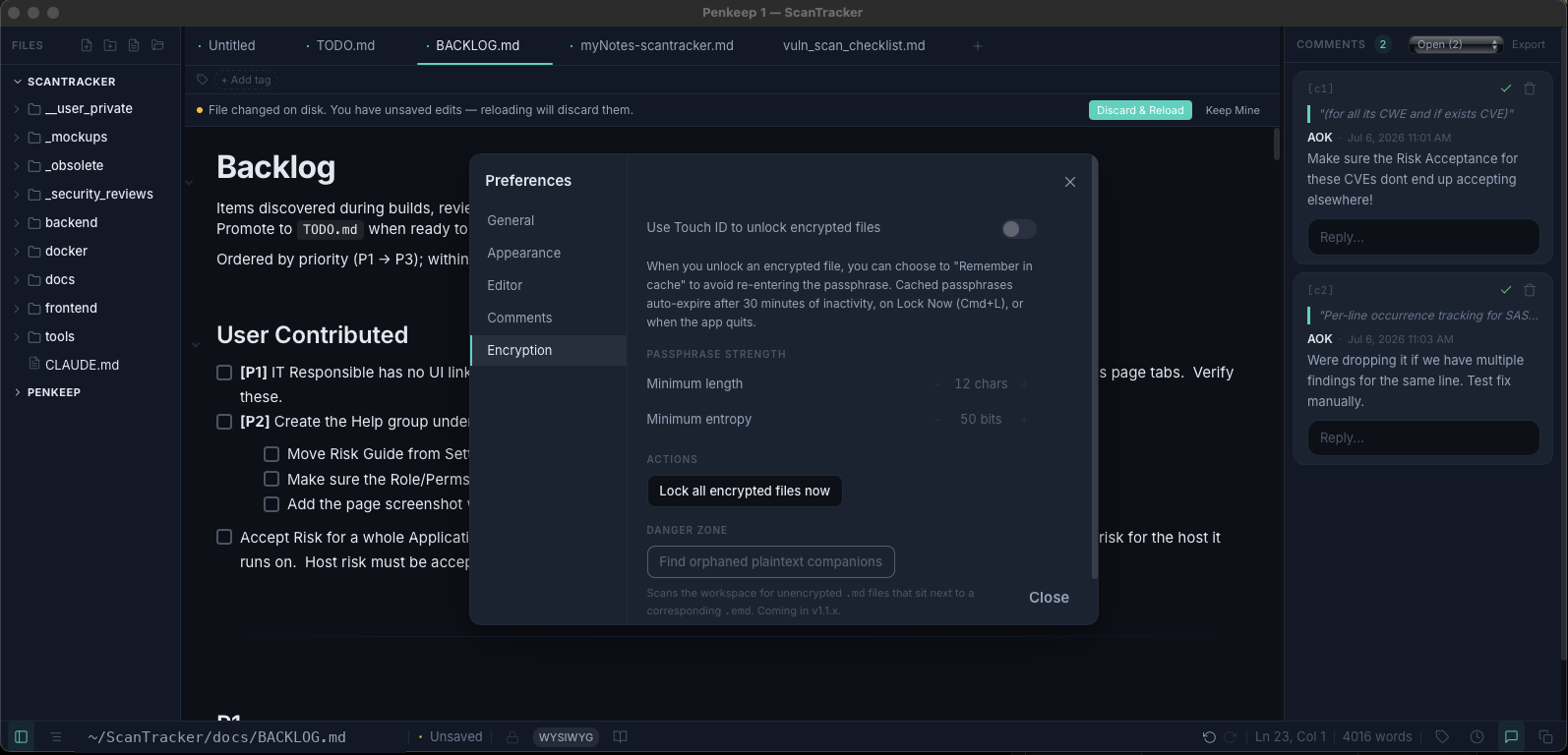
Penkeep on macOS — inline comment threads on the right, with the per-file encryption settings open: Touch ID unlock, passphrase-strength rules and lock-all.
Real editor on macOS — inline comments (right) alongside the per-file encryption settings: Touch ID unlock, passphrase-strength rules and one-click lock-all.
Built on vetted primitives: XChaCha20-Poly1305Argon2idHMAC-SHA256zstdzeroize · mlock
The blind spot

You sandboxed the model. The files are still in the clear.

Prompt-injection guards, model firewalls, agent sandboxes — the whole industry is hardening the LLM. Meanwhile the thing the agent actually reads and writes — your documents — sits in plaintext on your disk, readable by every process, sync client and backup that touches the folder.

Penkeep flips one file at a time. The repo stays plain and agent-readable; the sensitive note becomes an .emd that opens only with your passphrase.

zsh — decrypt without leaving plaintext on disk
# same format as the GUI, one binary
$ emd decrypt threat-model.emd | grep -i token
passphrase: •••••••• (no echo, no argv)
 → 3 matches, streamed to stdout
$ emd encrypt notes.md --passphrase-stdin
--passphrase=VALUE rejected — argv leaks via ps
How locking works

Three keystrokes from plaintext to sealed.

No vault to set up, no account to create, no key to manage on a server. Just you and a passphrase.

1

Write normally

Open any .md and write in true WYSIWYG markdown — comment inline, drop in math, diagrams and code like any other note.

2

Lock the file

Hit lock, type a passphrase. Penkeep derives a key with Argon2id and rewrites the file as an encrypted .emd in place — comments and all.⌘ L

3

Reopen anywhere

Double-click and it asks for the passphrase — on any Mac, Linux box or Windows PC. Nothing device-specific is baked in; the passphrase alone is the key.

What you get

A real editor. With a lock built in.

Not a crypto container bolted onto a text box — a markdown editor people actually want to write in, where any file can go dark with one click.

True WYSIWYG markdown

TipTap 3 / ProseMirror. Markdown stays the source of truth on disk — round-trip fidelity is a hard invariant.

Everything local

No cloud, no account, no telemetry. Your multi-root workspaces, files and every setting live on disk under ~/.penkeep — nothing ever leaves your machine.

Rich blocks

KaTeX math, Mermaid diagrams, code with language selection, wiki-links, tags, snippets and templates.

🔒

Per-file encryption

Lock one file, not a whole vault. .emd lives next to .md in the same folder, no separate store.

👥

Multi-recipient, signed

Share an encrypted file with several people or agents — each unlocks with their own key, no shared passphrase. Every edit and comment is signed, so authorship traces to a real identity.

$_

The emd CLI

Encrypt, decrypt and inspect from the terminal — pipe to grep/less. Headless and scriptable, so CI, servers and LLM agents can unlock just what you allow and write back encrypted — no plaintext left behind.

First-class comments

Google-Docs-style inline threads that persist as plain markdown — the marker survives any renderer, thread data lives beside the file.

Version control

Every save snapshots locally with diffs and one-click restore — or back your history with git, kept locally or pushed to GitHub. Your call.

Live on disk

The file on disk is the source of truth. When a teammate's sync, another app, or an agent changes it, Penkeep sees it instantly — reloading clean files and flagging conflicts before you overwrite.

A look inside

Real screens. Real work.

Captured from Penkeep running on macOS — everything below is local, on disk, no cloud in sight.

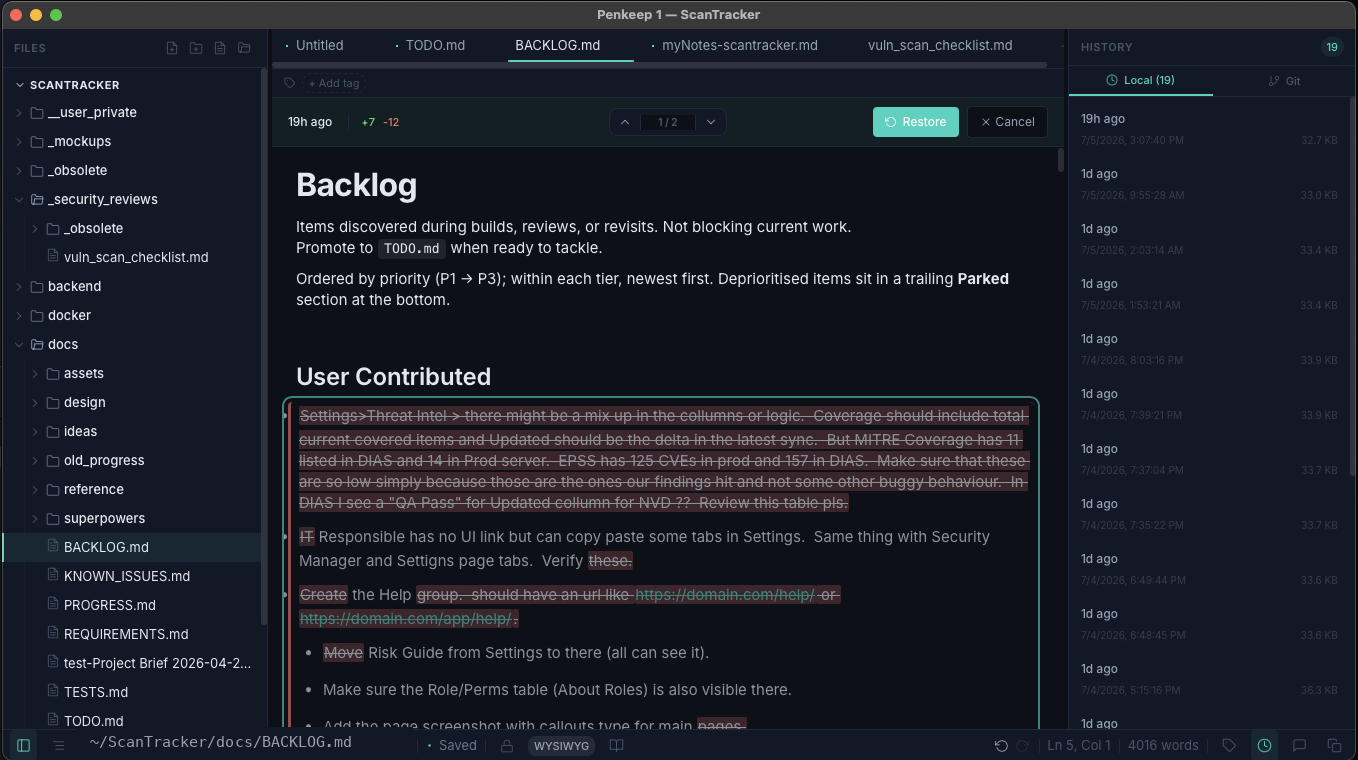
Penkeep version-history panel with local snapshots and a colour-coded diff.

Version history, on your disk

Every save is snapshotted locally with a full diff — restore any point in seconds, deduplicated by content hash, and switchable to your git log. Snapshots are turned off for encrypted .emd files by design, so nothing plaintext ever hits disk.

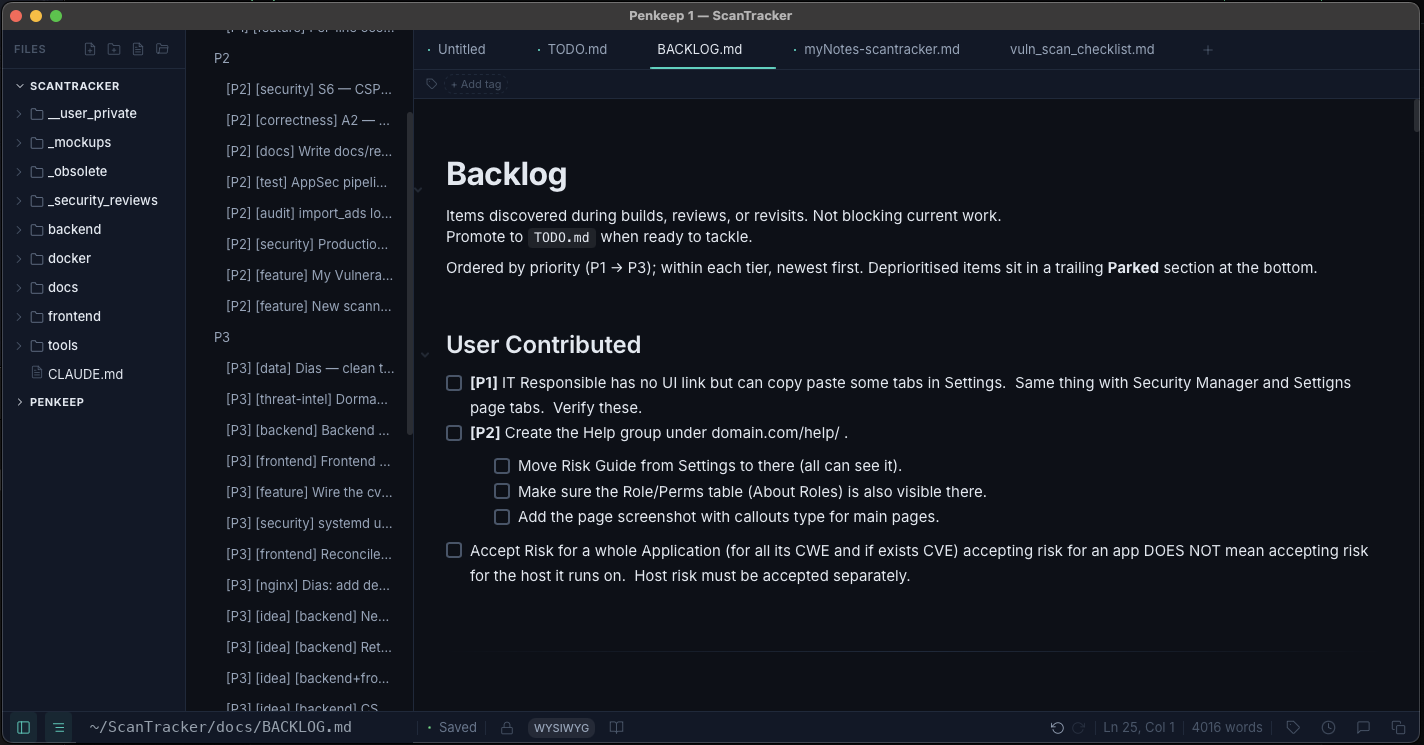
Penkeep distraction-free WYSIWYG editor with the document outline panel open.

Write, don't fiddle

True WYSIWYG markdown with the outline a keystroke away, tabs, tags and a multi-root file tree. A fast native app first — the lock is just always within reach.

Cryptography

Open primitives. Honest limits.

Standard, audited algorithms orchestrated in Rust — no home-rolled crypto. Every parameter is documented, and we publish exactly what's protected and what isn't.

AEAD · XChaCha20-Poly1305 KDF · Argon2id (46 MiB) Header MAC · HMAC-SHA256 Compression · zstd secrecy · zeroize · mlock
AEAD cipher
XChaCha20-Poly1305 — 192-bit random nonce per save, no AES-NI dependency
Key derivation
Argon2id v1.3 — 46 MiB · 3 iterations · parallelism 2 (~500 ms on Apple silicon)
Content key
32 bytes from the OS CSPRNG — unique per file, regenerated every save
Header auth
HMAC-SHA256 keyed via HKDF from the content key — age-style header MAC
Compression
zstd before encryption · zip-bomb-resistant parser bounds
Memory hygiene
secrecy · zeroize · mlock · core dumps disabled — in both GUI and CLI

Passphrase-derived, per file

No server, no account, no key escrow. The passphrase alone opens any file, any device, any OS.

No recovery, by design

Lost passphrase = lost file. No backdoor, no second credential — a deliberate reduction of attack surface.

Tamper-evident

Chained header-MAC then AEAD. "Frankenstein" attacks — header from one file, body from another — fail closed before a byte is decrypted.

💬 Comments encrypted too

Thread data is bundled inside the .emd body — commenting on a secret never leaks it to Finder, git or Dropbox.

We don't oversell it. The threat model is published, not spun — including the residue limits of decrypted text in memory. Read exactly what Phase 1 protects →

Pricing

Buy it once. Or rent it cheap.

No account. A license key unlocks Penkeep on up to three devices you own.

BEST VALUE
Lifetime
$35 once
yours, forever
  • Lifetime updates included — every future release
  • Install on up to 3 devices you own
  • macOS, Linux & Windows
  • The emd CLI included
  • iOS app when it lands (Q4 2026)
Get Penkeep
Annual
$9 / year
cancel anytime
  • All upgrades while subscribed
  • Up to 3 devices you own
  • macOS, Linux & Windows
  • The emd CLI included
  • iOS app when it lands (Q4 2026)
Start annual

📱 iOS coming Q4 2026 — the .emd format is byte-identical on every platform, so your encrypted notes open on the phone with the same passphrase.

Questions

The honest FAQ.

Is this really end-to-end encryption?
It's end-to-end in the literal sense: the only "ends" are your files on disk and you at the keyboard — no server, no account, no key escrow in between. It is local encryption-at-rest with per-file passphrases, not transport or multi-party encryption. Multi-recipient sharing is on the roadmap; today, the passphrase alone opens the file.
What happens if I forget the passphrase?
The file is unrecoverable — by design. There is no backdoor, no recovery key and no second credential to attack. Lost passphrase means lost file, so use a password manager. We chose this deliberately: a recovery path is also an attack path.
What exactly is protected — and what isn't?
Protected: file content at rest, comments (bundled inside the encrypted body), and tamper-evidence via a chained header-MAC. Keys live in mlock'd, zeroizing memory with core dumps disabled. Not fully protected in this phase: decrypted text living in editor memory while a file is open can, in principle, be paged to swap. We document the limits plainly rather than hide them.
Can my AI agent still use my repo?
Yes — that's the point. Plaintext .md files stay fully readable to agents, sync clients and build tools. Only the files you explicitly lock become .emd and go dark. One repo, plain and encrypted side by side, no .gitignore gymnastics.
Can I give an AI agent its own key?
Yes. Give the agent its own passphrase — its own persona in Penkeep's address book — and share it only for the files or folders you want that agent to touch. Because the emd CLI runs headless, the agent can decrypt exactly those files non-interactively (op read … | emd decrypt --passphrase-stdin) and write results back encrypted with emd encrypt — through the same shell tools it already uses, with no plaintext left on disk. You decide what each agent may open; everything else stays dark.
Do I need an account or internet connection?
Neither. Penkeep is fully local — no account, no telemetry, no cloud. All state lives under ~/.penkeep. A license key (not an account) unlocks the app on up to three devices you own.
Is it open? Can I get my data out?
Your plaintext is standard markdown — always portable. The .emd format is documented and built on vetted, standard primitives, and the emd CLI is a self-contained escape hatch: it decrypts your files from the terminal even if you never open the GUI again. The core is MIT-licensed.
Download

Start writing in the clear. Lock what matters.

Free to try · MIT-licensed core · all releases & checksums